CataLord’s product dashboard is the single screen where you manage your whole WooCommerce catalog. It shows every product in a fast, modern table with live search, advanced filters, and inline actions, so most day-to-day edits never require opening a full product page.
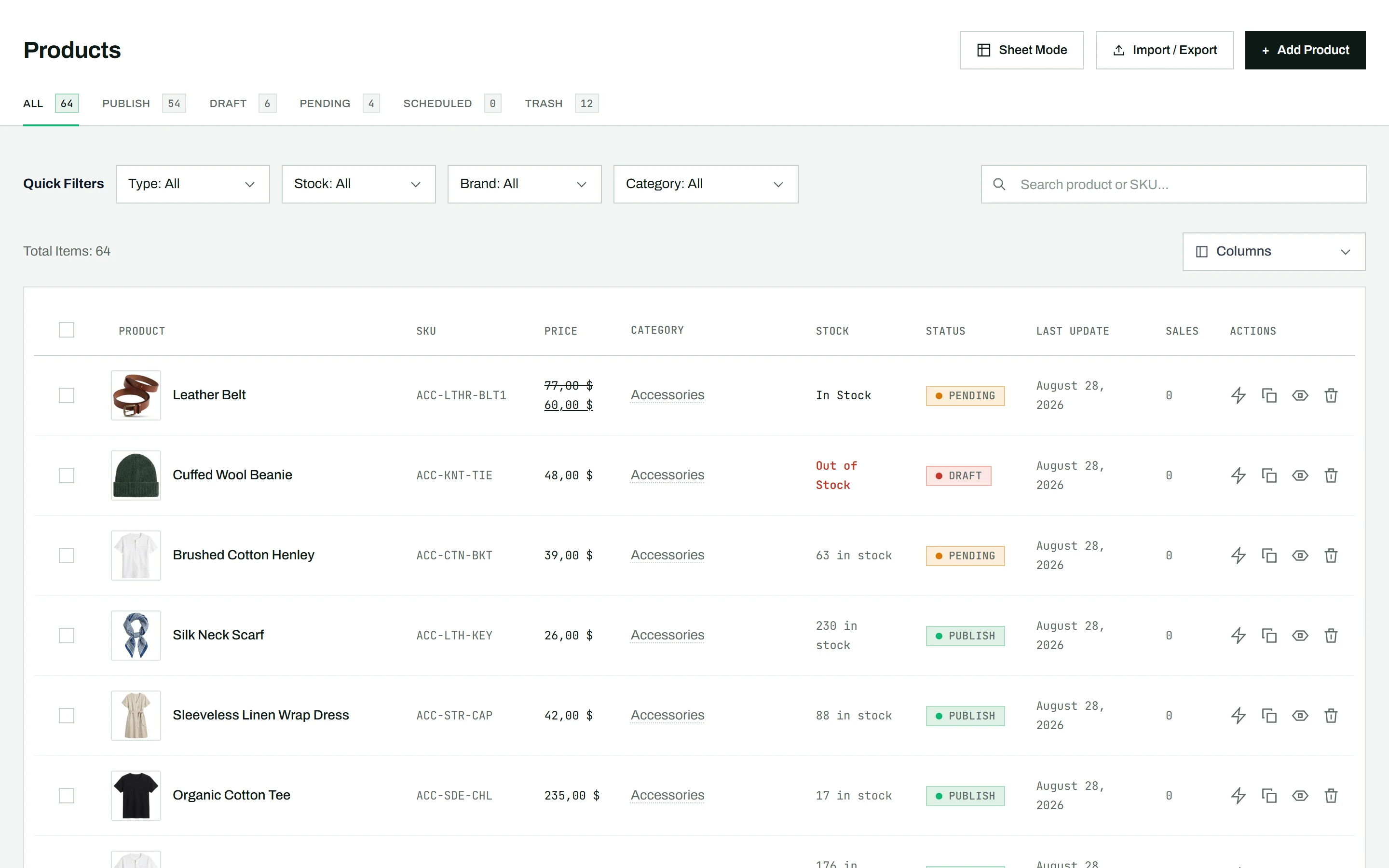
Open the dashboard
In your WordPress admin sidebar, go to CataLord > Products (admin.php?page=catalord). Every product, variation, category, and brand already in WooCommerce appears here automatically, with nothing to import or set up.
How it differs from the WooCommerce products list
This screen replaces the trip to Products under WooCommerce for your editing work. Compared with the native list, the dashboard adds:
- Live search that filters as you type, by product name or SKU
- Combined filters for category, brand, stock status, and product type at once
- Inline Quick Edit covering far more fields than WooCommerce exposes, with no page reload
- Bulk actions and Bulk Edit with no per-batch cap
- Sheet Mode, a spreadsheet-style multi-product editor (Pro)
It reads and writes standard WooCommerce data, so these are the same records you would see under WooCommerce > Products. Nothing is moved or converted.
What you can do from here
- Search and filter to find any product in seconds
- Sort by name, price, SKU, or last update (sorting by sales requires Pro)
- Quick-edit a product inline, or open the full editor for deeper changes
- Apply bulk changes to many products at once
- Show and hide columns to fit how you work (reordering columns is available in Sheet Mode)
- Switch to Sheet Mode for spreadsheet-style editing (Pro)
Tip: The dashboard is the starting point for everything in CataLord. New here? First install and activate the plugin, then open CataLord > Products.