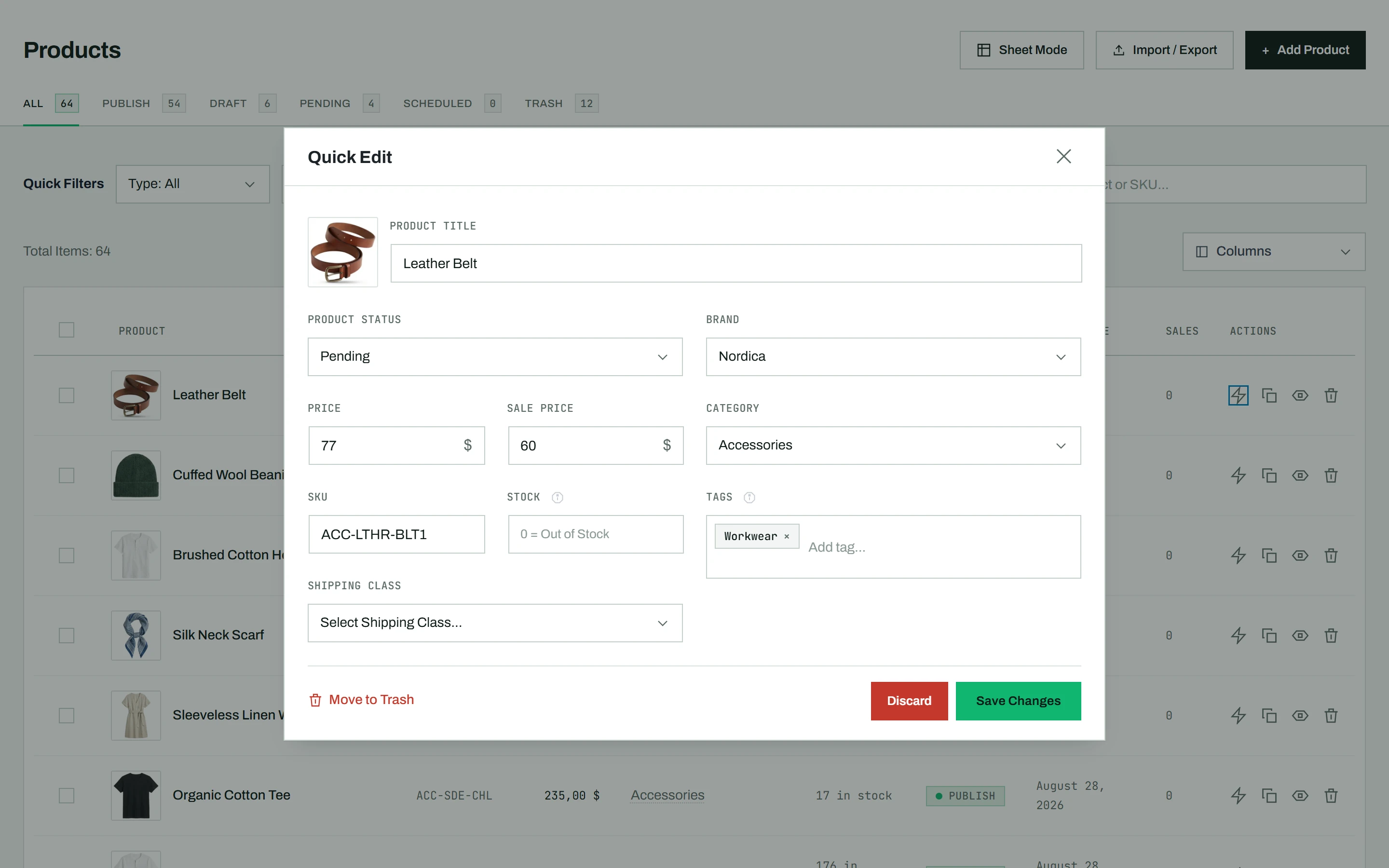
Quick Edit lets you change a product’s most important fields right from the list, without opening the full editor. It is the fastest way to fix a price, adjust stock, or retag a product.
How it differs from WooCommerce Quick Edit
WooCommerce has its own inline Quick Edit, but it covers only a handful of fields. CataLord’s Quick Edit adds brand, category and tag editing with search, sale price, shipping class, and scheduling, all in one popup.
Quick-editing a product
- Find the product in your list.
- Click the lightning bolt icon in the Actions column.
- A popup appears with editable fields:
- Title, Status (with a schedule option), Price, and Sale Price
- SKU, Stock, and Shipping Class
- Brand, Categories (multi-select with search, with the selected categories listed first), and Tags (with autocomplete)
- Make your changes and click Save Changes.
Note: For variable products, the price, SKU, and stock fields are replaced with a link to the variations editor, because those values are set per variation.
When to use something else
To change the same field across many products at once, use bulk actions instead. For a full rewrite of descriptions, images, or variations, open the full product editor.