Pro This feature is part of CataLord Pro, and it is included in the 14-day free trial.
A custom AI writing prompt replaces CataLord’s default instructions to the AI, so every product description is written in the same voice and style across your whole store. Only Administrators can set it, and it applies globally.
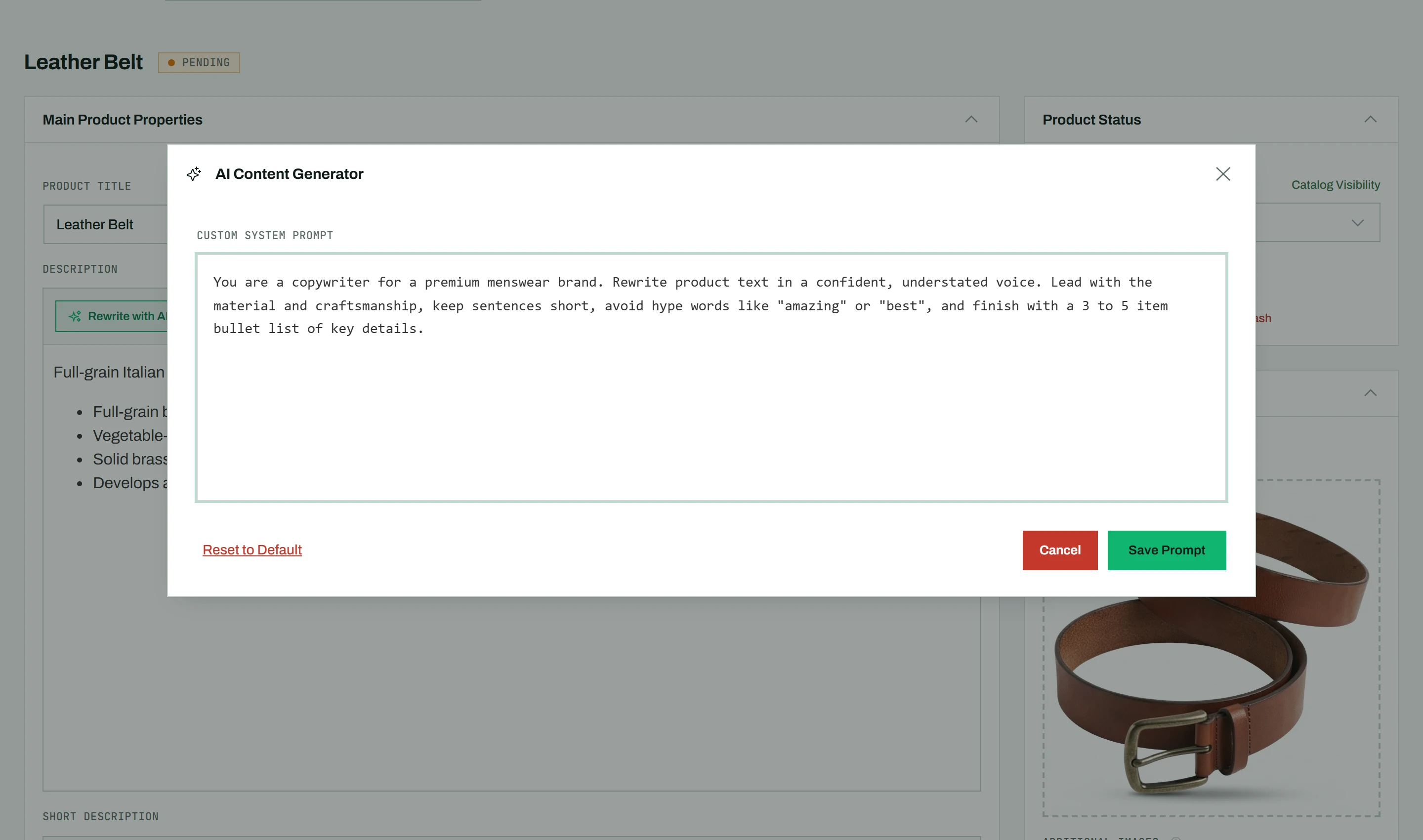
Setting a custom prompt
- Open the AI Writer modal (click AI Rewrite on any product description).
- Click Set (or Edit) next to “System prompt” in the modal header.
- Write your custom prompt in the text area, describing the tone, length, and any rules you want.
- Click Save.
To go back to the built-in instructions, click Reset to Default (red text) and confirm.
Note: Only WordPress Administrators can change the global prompt. The same saved voice is reused by AI Rewrite and Fill with AI, so descriptions stay consistent no matter which tool wrote them.