Pro This feature is part of CataLord Pro, and it is included in the 14-day free trial.
Sheet Mode can show a variable product’s variations as sub-rows, so you can edit their prices and stock in bulk alongside everything else.
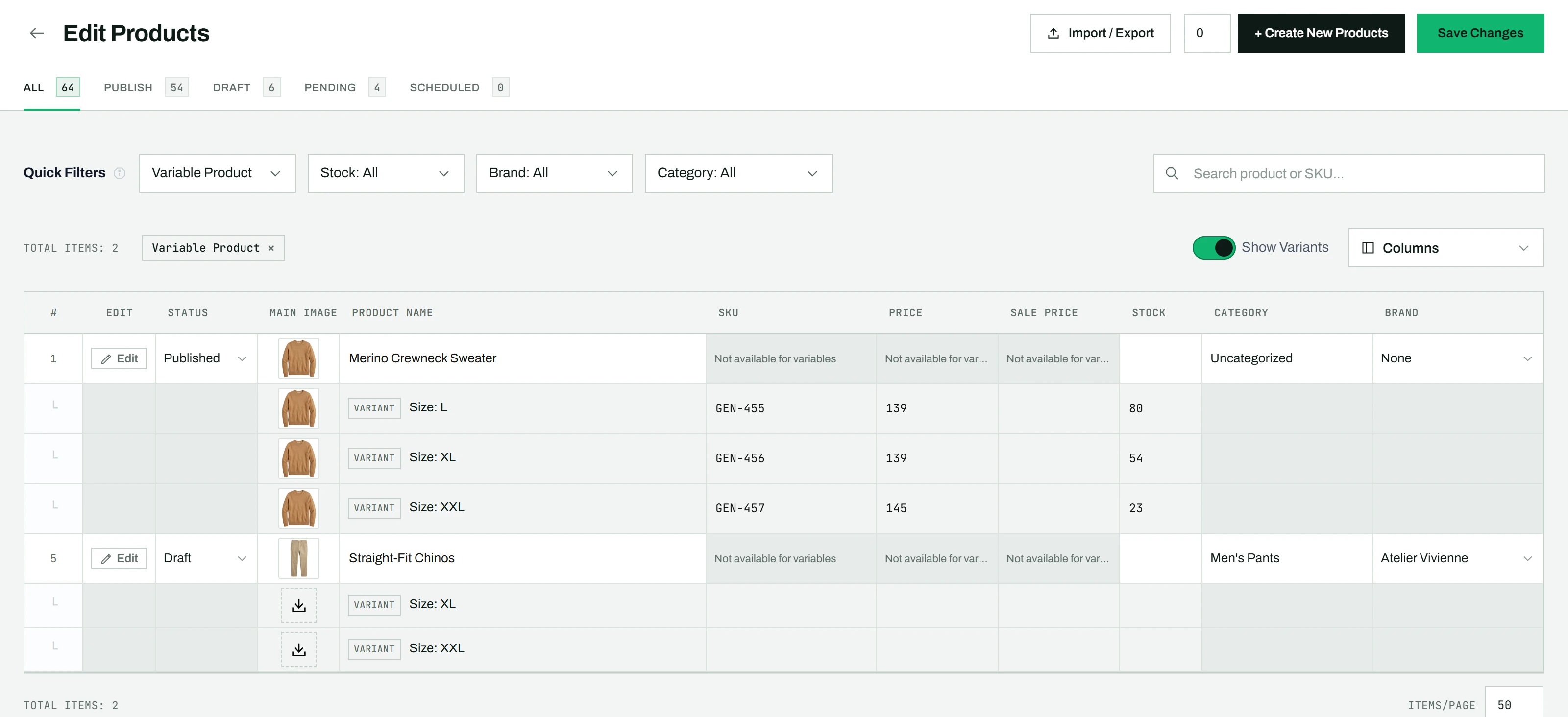
Showing and editing variations
- In the toolbar, switch Show Variants on.
- Each variable product now shows its variations as indented sub-rows below the parent.
- Each sub-row shows the variation name (for example “Color: Red – Size: M”).
- You can edit these fields per variation: Price, Sale Price, SKU, Stock, and Image.
- Other columns are grayed out on variation rows, because those values live on the parent.
Up to 50 variations are shown per parent product.
Tip: This is the quickest way to reprice or restock every variation at once with drag-fill. To change the attributes themselves, edit the product in the single-product editor.