You can change a variable product’s attributes at any time after its variations are generated, and CataLord keeps the variation list in sync with your changes.
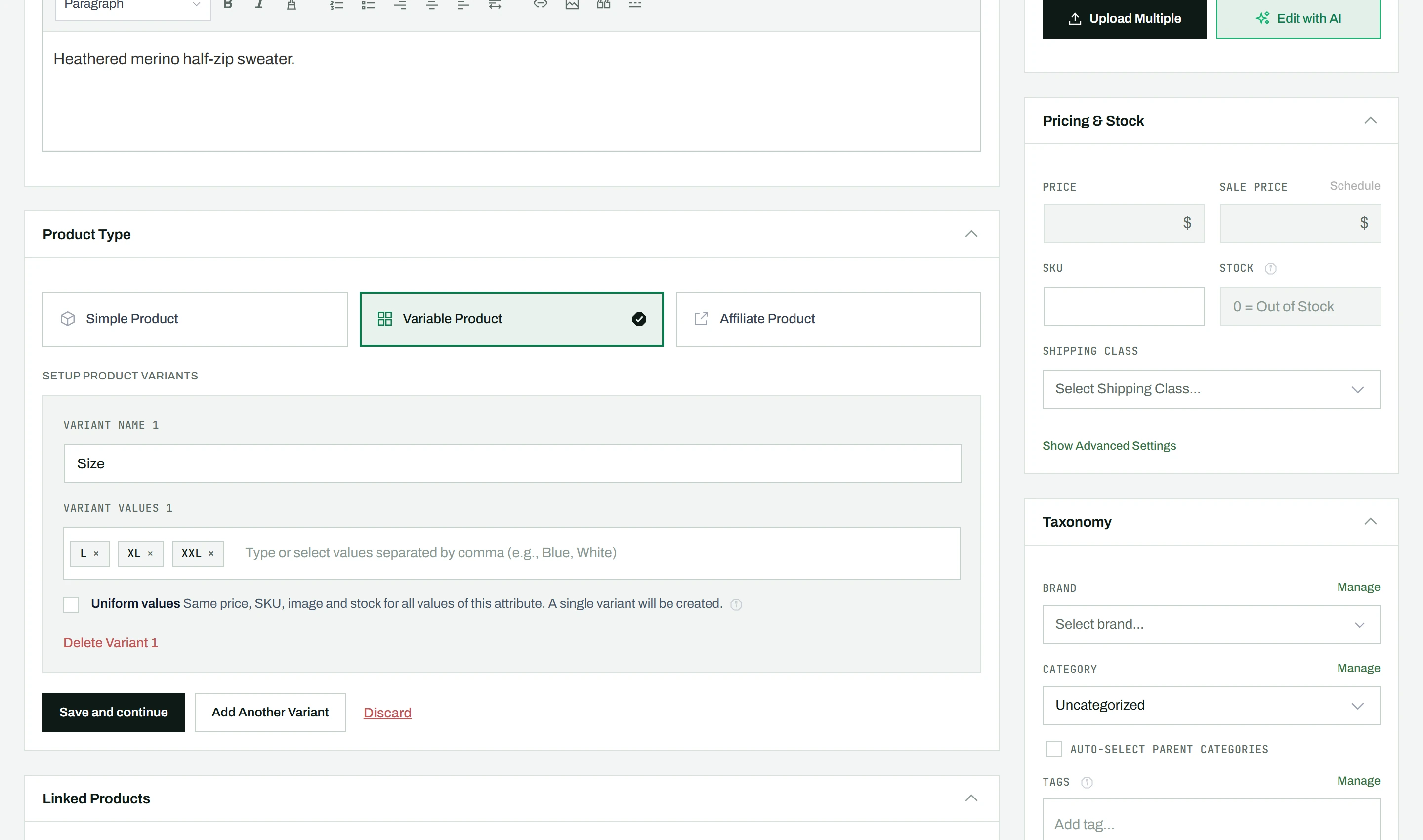
Editing attributes
- On a variable product, click Edit Attributes above the variation accordion.
- The attribute setup panel opens, showing your current attributes and values.
- Add or remove values by editing the chips (click a chip to edit, click X to remove).
- Click Save and continue to regenerate variations.
Removing an attribute
- Click the Delete Variant button on the attribute row you want to remove.
- Save the product.
- Variations update automatically: the removed attribute’s values are stripped from variation names, and variations that now have identical remaining attributes are merged.
Note: Removing an attribute can reduce the number of variations. For example, removing “Size” from a Color and Size product leaves one variation per color. To remove a single combination rather than a whole attribute, delete that variation instead.