Pro This feature is part of CataLord Pro, and it is included in the 14-day free trial.
The importer can fill in missing product content with AI as it creates your products, so a thin spreadsheet becomes a set of complete, ready-to-review drafts. It is a step inside the CSV import wizard.
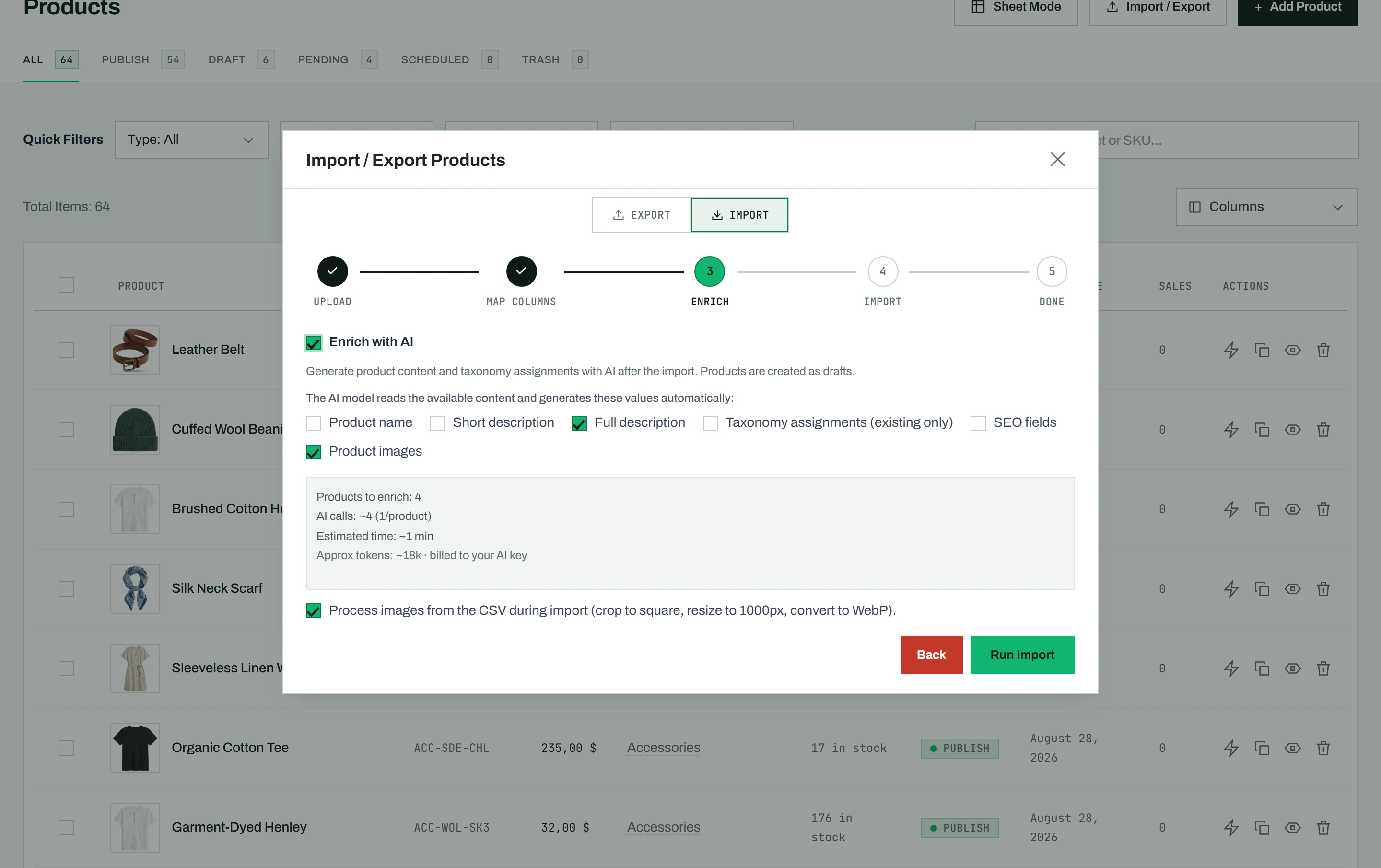
Turn on the Enrich step
The CSV import wizard includes an optional Enrich step between mapping and importing. It is off by default, so a plain import behaves exactly as before. When you enable it, you choose which fields the AI is allowed to fill:
- Product name
- Short description
- Long description
- Taxonomy (categories, tags, and attributes, matched to terms your store already has)
- SEO fields (shown only when Yoast or Rank Math is active)
Three ways the AI gathers information
CataLord picks the right enrichment mode based on what your file contains:
| Your file has | What happens |
|---|---|
| A source URL column | CataLord reads each product page, including its full spec list and a linked data sheet PDF, and enriches from what it reads. It reads pages the same way as Import from URL. |
| A name plus a description | The AI enriches from the other cells already in that CSV row. |
| Only a product name | A name-only mode runs a live Google web search (search grounding) to find details, and returns the sources it used. |
Images from the source page
When you let the Enrich step import images from the source page, it keeps only real product photos: images with both sides under 400 px are skipped, and a photo the page serves in several sizes is kept once, in its largest size. Images you list yourself in the file are imported as they are.
Check the estimate, then run
Before processing starts, the Enrich step shows a live estimate of the number of AI calls, time, and tokens involved, along with a soft-cap warning if the run is large. The import then runs in two phases: first it creates the products as drafts, then it loops through them to enrich and write the selected fields. A progress bar tracks both phases.
Tip: AI-sourced content, especially from the name-only web search mode, can contain mistakes. The summary flags this and lists the sources used, so review the enriched drafts and verify any facts before publishing.